Start Your Own AI Training Centre
Build an AI-powered training business with your own branded academy and the MAZ Assist AI Teacher. Start from home with minimal infrastructure, or establish your own physical training centre.
MAZ Assist provides the AI teaching technology, your branded website and the supporting tools — you build your student community and training business.

Your Training Centre. Your Students. Your Revenue.
You operate your own training centre and charge students according to your chosen courses and pricing. For every eligible student payment, the revenue is shared.
AI Academy ownership and course-revenue sharing are not included with Associate or Growth Partner. Premier keeps 80% of each eligible course fee; MAZ Assist receives 20%.
The example is illustrative. Actual student pricing may be determined by the partner according to the applicable MAZ Assist program terms.
Start From Home or Build a Physical Centre

Start From Home
Start with minimal infrastructure.
- Laptop
- Reliable internet connection
- Smartphone
- Your branded academy website
- MAZ Assist AI Teacher
- Student communication tools
Classroom rent · furniture · multiple computers · physical classroom infrastructure.
Ideal for freelancers, trainers, teachers, entrepreneurs, working professionals, small business owners and anyone starting their first training business. Students can join your classes remotely from their own locations.
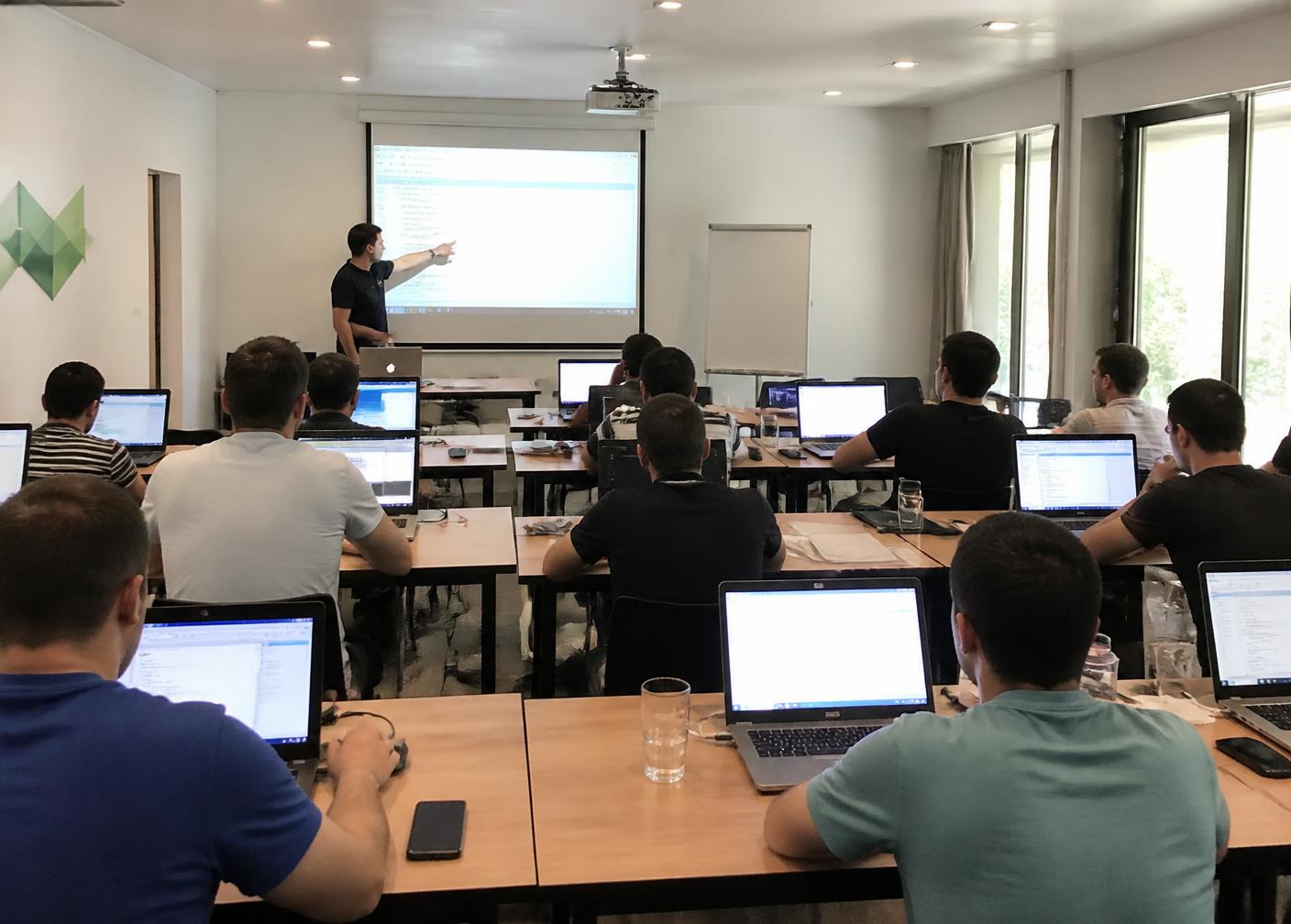
Physical AI Training Centre
Build your own local training academy.
- Training / classroom space
- Multiple laptops or computers
- Reliable high-speed internet
- Seating
- Power backup where required
- Display or projector if needed
Arrange laptops or computers for your students.
Ask students to bring a compatible laptop.
For reliable AI live classes, ensure students have a suitable device and a stable internet connection. You can provide classroom internet or students can use their own.
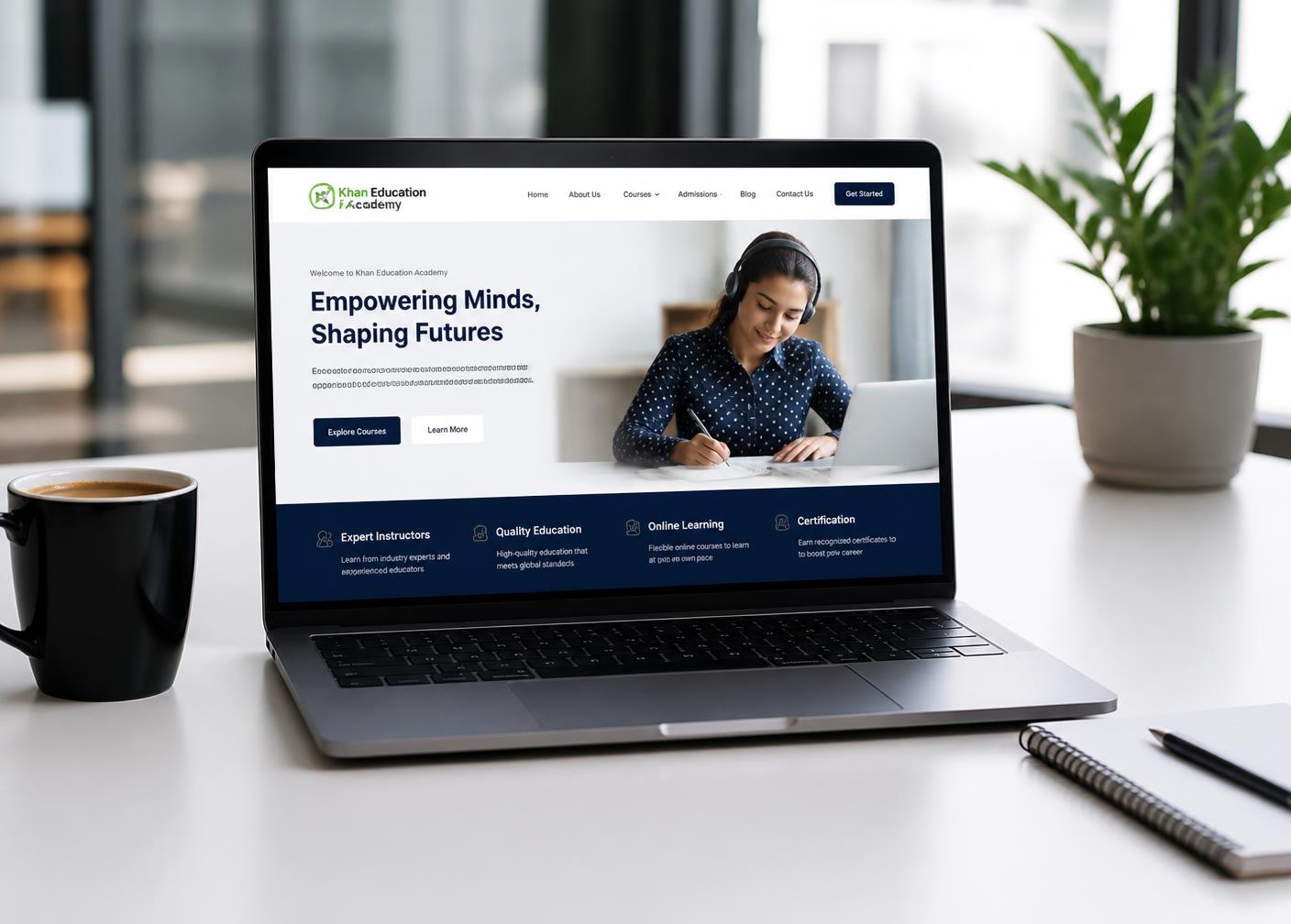
We Build Your Professional Training Website
Premier Partner activation includes a professionally branded academy website on your own custom domain.
- AI training centre & coaching business pages
- Courses and training programs
- Trainer profiles
- Student registration
- Course information and fees
- Contact information and enquiry capture
Your AI Teacher Is Ready to Teach
Integrate the MAZ Assist AI Teacher into your training ecosystem as an additional teaching and learning capability alongside your human trainers.
- Learn concepts step by step
- Ask questions and get explanations
- Practice with guided exercises
- Interact with the AI Teacher in live sessions
- Complete learning activities
- Review lessons and practice from home
Give Students Interactive AI Live Classes
Students can participate in AI-powered live learning sessions with interactive teaching, Q&A, guided learning, practical exercises, topic explanations and live practice.

Start With Free Trial Classes
To help partners introduce AI learning to students, MAZ Assist provides a one-time Academy Starter Plan.
One-time Academy Starter Plan. Use these minutes to demonstrate the AI Teacher and run introductory live classes.
Let students experience the AI Teacher before they enroll — designed for demonstrations and student acquisition.
Each student receives a maximum of 5 minutes of free live AI class usage under the applicable trial terms.
What Happens After Your Free Minutes Are Used?
Once the included Academy Starter Plan live-class minutes have been consumed, additional live-class minutes can be purchased in three ways.
The partner buys additional live-class minutes directly from their MAZ Assist account.
The student purchases additional usage through their own MAZ Assist account, where supported.
The partner buys the usage and collects the applicable fee from students under their own training business model.
The applicable program rules determine eligible revenue, taxes, refunds and settlement.
Offer Future-Ready Skills
Your training centre can offer MAZ Assist-supported courses — 5+ future-ready skills programs today, with more added over time.
AI Foundations for Everyone
Core AI literacy: how modern AI works, safe usage and everyday productivity with AI tools.
- Duration
- 6 weeks
- Format
- AI live classes + practice
- Skills
- AI basics, prompting
- Suitable for
- Beginners, students
- Course fee
- Set by partner
AI for Business & Sales
Use AI assistants for lead generation, outreach, proposals and customer conversations.
- Duration
- 8 weeks
- Format
- Live + homework
- Skills
- Sales AI, CRM basics
- Suitable for
- Sales & SMB owners
- Course fee
- Set by partner
Digital Marketing with AI
Content, SEO, ads and analytics workflows accelerated with AI tooling.
- Duration
- 8 weeks
- Format
- Live + projects
- Skills
- SEO, content, ads
- Suitable for
- Marketers, freelancers
- Course fee
- Set by partner
AI Customer Support & Voice
Design and operate AI chat and voice assistants for real business support workflows.
- Duration
- 6 weeks
- Format
- Live + practical lab
- Skills
- Chat/voice AI, QA
- Suitable for
- Support teams
- Course fee
- Set by partner
Career & Interview Readiness
Communication, resume building and AI mock interviews to prepare for internships and jobs.
- Duration
- 4 weeks
- Format
- Live + mock interviews
- Skills
- Communication, interviews
- Suitable for
- Job seekers, freshers
- Course fee
- Set by partner
More courses added regularly
MAZ Assist keeps expanding the catalogue — new future-ready skills programs appear in your academy automatically.
- Duration
- Varies
- Format
- AI live classes
- Skills
- Future-ready skills
- Suitable for
- All learners
- Course fee
- Set by partner
Course list, fees and durations are managed by MAZ Assist and may be updated. Partner pricing to students is set by the partner under the applicable programme terms.
From First Class to Certificate
Learning Doesn't Stop at the Training Centre
Students can continue learning and practising from home on a smartphone, tablet or laptop. A laptop or desktop is recommended for practical assignments, projects and longer sessions.
Students receive practical tasks that reinforce every lesson.
Students practise concepts at home at their own pace.
Students rehearse interview scenarios and build confidence.
AI-powered help to clarify concepts and revise course material.
Students Receive a Course Completion Certificate
After successfully completing the applicable course requirements, students can receive a certificate.
- Student name
- Course name
- Academy / training centre name
- Completion date
- Certificate ID
- Verification information where supported
Students may use their course certificate when applying for internships or opportunities where the receiving organization accepts such certificates. A certificate does not guarantee employment or internship placement.

You Build the Training Business
Promote your courses and attract students.
Organize classes and run your training centre.
Guide students through their learning journey.
Promote your academy locally and online.
Set student pricing under the applicable partner terms.
Collect fees and maintain appropriate business records.
Track enrollment, attendance, progress and completion.
What MAZ Assist Provides
AI-powered teaching and learning technology.
A professional website for your academy business.
Technology that supports the student learning experience.
One-time Academy Starter Plan with 300 live class minutes.
5 minutes of live AI class per student, subject to applicable terms.
Access to 5+ future-ready skills courses, with more potentially added.
Manage your training business, students, invoices and partner information.
Training Centre Management
Everything you need to run the academy — students, courses, minutes, invoices and revenue in one place.
- Create or upload an invoice
- Invoice number, student and course
- Amount, date and payment status
- Upload invoice PDF
- View full invoice history
MAZ Assist admin reviews submitted invoices.
- Total student revenue
- Partner share — 80%
- MAZ Assist share — 20%
- Pending settlement and paid/settled
- Students, active students, completed courses
- Certificates issued
Charts for monthly revenue, enrollment, course performance and live-class usage.
- Starter minutes: 300
- Used and remaining minutes
- Student trial minutes used
- Purchased minutes
- Total available minutes
Each student profile shows name, email, phone, course, enrollment date, course status, live class usage, homework status, mock interview status, completion and certificate status.
- Enrolled courses and progress
- AI Teacher and live classes
- Homework and practice
- Mock interviews
- Certificate and learning history
Students get their own login. Partners only see student information they are authorized to access.
What 20 Students Could Look Like
Illustrative example only. Actual pricing, eligible revenue, taxes, refunds and settlement are governed by the applicable partner agreement.
Home / Online vs Physical Centre
| Home / Online | Physical centre | |
|---|---|---|
| Office required | No | Yes |
| Classroom required | No | Yes |
| Laptop | Partner + students | Multiple laptops or BYOD |
| Internet | Reliable internet | Strong centre-wide internet |
| Student location | Remote | Local / in-person |
| Initial infrastructure | Lower | Potentially higher |
| Scalability | Online / global | Local + online |
| Student acquisition | Online + network | Local + online |
Infrastructure requirements depend on your operating model, student count and course format.
Start Your AI Training Centre in 7 Steps
Activate the Premier Partner programme, the only level with AI Academy ownership.
Set up your academy brand and professional website.
Choose your home/online or physical-centre model.
Promote your courses.
Offer free AI Teacher trial experiences.
Enroll students and deliver courses.
Earn your 80% share while MAZ Assist receives 20%.
Important: Local Compliance Is Your Responsibility
The partner is responsible for understanding and complying with all applicable laws, registrations, taxes, education and training regulations, consumer protection requirements, employment requirements, advertising rules, data protection and privacy requirements, and other legal obligations applicable to their training business and location.
MAZ Assist provides technology and partner support, but does not automatically provide legal, tax or regulatory authorization for operating a training centre. If required in your jurisdiction, consult an appropriate legal, tax or regulatory professional before starting operations.
Ready to Build Your Own AI Training Centre?
Start from home. Build a physical academy. Serve students locally or online. Your academy, your students, your brand, your revenue — powered by MAZ Assist AI Teacher.
Earn 80% of eligible student revenue and pay 20% to MAZ Assist according to the applicable partner programme terms.